
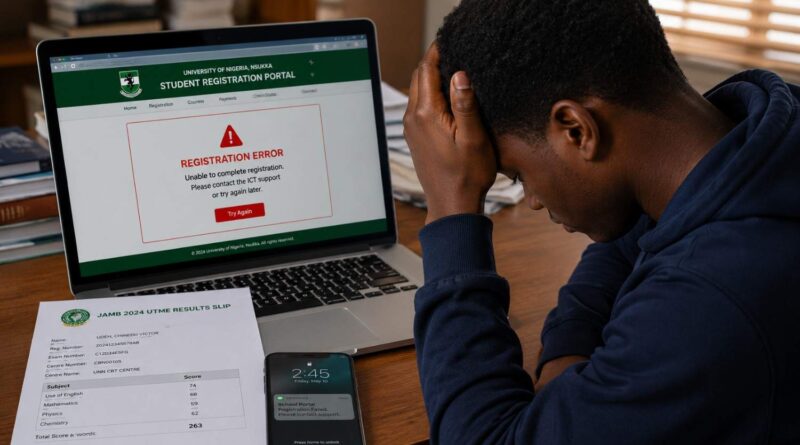
Post-UTME Registration Mistakes: 7 Errors to Avoid
Post-UTME Registration Mistakes: 7 Errors Candidates Should Avoid
Post-UTME registration can look simple until a candidate discovers an incorrect JAMB number, unreadable document, failed payment or missed deadline after submitting the form. These Post-UTME Registration Mistakes can create avoidable problems during admission screening. This guide explains the most common errors candidates make and what to check before submitting a Post-UTME application.
Every university sets its own screening requirements, application deadlines and portal instructions. Before you pay for a form, read the admission notice published by your institution and confirm that you are using the university’s official application portal.
Why Post-UTME Registration Mistakes Matter
Universities use Post-UTME and other screening processes to assess candidates after the UTME stage. Depending on the institution, the process may involve online screening, physical verification, an aptitude test or a combination of these methods.
A mistake on the application form can become difficult to fix after final submission. For example, entering the wrong JAMB registration number can affect candidate verification, while an unclear document may prevent the school from confirming an important qualification.
Candidates should also keep their JAMB information consistent with the details they submit during institutional registration. Where necessary, review your JAMB profile through the JAMB CAPS Portal Guide.
For JAMB-related admission information, candidates should also verify requirements and official notices through the official JAMB website.
Common Post-UTME Registration Mistakes to Avoid
Ignoring the University’s Cut-Off Mark
One of the most serious Post-UTME Registration Mistakes is applying without confirming whether you meet the university’s stated eligibility requirements.
Do not assume that every university uses the same UTME cut-off mark. A university may publish a general minimum score while some courses attract additional requirements or stronger competition.
Before paying for a screening form, check the current admission notice from your chosen university. Confirm the required UTME score, subject combination, course requirements and other eligibility conditions.
Uploading the Wrong or Unclear Documents
Uploading incorrect or unreadable documents is another common Post-UTME Registration Mistake. Universities may request O’Level results, JAMB details, passport photographs, identification documents or other credentials.
Before uploading a document, check the required file type, size and image quality. Open the file yourself and make sure you can read the important information clearly.
Also confirm that the document belongs to you. Uploading another person’s result or submitting the wrong file can create a serious verification problem.
If the university requires an O’Level result on both its portal and JAMB CAPS, follow the instructions from the relevant institutions. Do not assume that uploading a document to one platform automatically completes every requirement.
Entering Incorrect Personal Information
Typing the wrong name, date of birth, JAMB registration number or other personal details can create problems during admission processing.
Before final submission, compare the information on your university application with your JAMB documents and other official records. Pay particular attention to spelling because even a small difference in a name can require additional verification.
If you notice an error, check whether the university provides an editing or correction option. Do not create a second application simply because you entered incorrect information on the first one unless the university specifically instructs you to do so.
Waiting Until the Deadline to Register
Leaving your application until the final hours creates unnecessary risk. A poor internet connection, payment failure, portal traffic or unexpected technical problem can prevent you from completing the application before the deadline.
Registering early gives you time to review your information and correct problems while the portal remains open. It also gives you an opportunity to contact the university if a payment or technical issue occurs.
Record the official closing date as soon as registration opens. If the university later changes the deadline, follow the latest official announcement.
Paying Through the Wrong Channel
Another major Post-UTME Registration Mistake is making payment through an unofficial website, agent or personal bank account.
Fraudsters can create pages that look similar to legitimate university portals. Always begin from the university’s official website and follow the payment instructions published by the institution.
After payment, save your transaction reference, receipt and payment confirmation. These records can help if your account shows a successful debit but the application portal still displays an unpaid status.
If your bank account has been debited but the portal has not confirmed the payment, do not immediately pay a second time. First check the transaction status and contact the university through its official admissions or technical support channel.
Failing to Save the Application Slip
Failing to save your acknowledgement or application slip can create problems later. The document may contain your application number, screening details, examination information or other information that you will need.
After completing registration, download the slip and save a copy on your phone or computer. Where the university requires a printed copy, print it and keep it with your admission documents.
Do not rely entirely on being able to retrieve the document later. You may lose access to your account, forget your password or encounter a portal problem.
Ignoring Screening Instructions After Registration
Completing the online application does not always mean that the admission process has ended. Some universities require candidates to complete additional verification, print an examination slip, attend physical screening or sit for an aptitude test.
After registration, continue checking the university’s official admission portal and announcements. If the school schedules a Post-UTME test, follow the stated examination date, venue, requirements and instructions.
Ignoring these instructions can cause a candidate to miss an important stage even after successfully completing the initial registration.
How to Prevent JAMB and Post-UTME Registration Errors
Some Post-UTME Registration Mistakes begin with incorrect or outdated JAMB information. Before submitting your university application, check your JAMB registration details, institution, course and O’Level information.
Where the university uses information from your JAMB profile, make sure the relevant details match. If you need to correct a JAMB-related record, use the official correction procedure instead of relying on an agent who promises to change the information privately.
Keep copies of important JAMB documents because you may need to compare them with the information displayed on the university portal.
Post-UTME Application Checklist Before You Submit
A final review can catch many Post-UTME Registration Mistakes before they become difficult to correct. Before clicking the final submission button, check the following:
- Full name: Confirm that the spelling matches your official records.
- Date of birth: Check that the date matches your JAMB and other official documents.
- JAMB registration number: Compare every digit with your JAMB document.
- Course and institution: Confirm that you selected the correct programme and university.
- O’Level subjects and grades: Check each subject and grade before submission.
- Uploaded documents: Make sure every required file is clear and correct.
- Passport photograph: Confirm that the photograph meets the university’s size and format requirements.
- Payment: Confirm that the correct application fee has been paid and the portal shows the appropriate payment status.
- Application number: Record the number displayed after successful registration.
- Application slip: Download and save the acknowledgement or screening slip where available.
Taking a few minutes to perform this final check can prevent a simple typing or upload error from becoming an admission-processing problem.
O’Level Result Upload and JAMB CAPS Checks
O’Level results play an important role in the admission process. If your university or JAMB requires you to upload or update your result, complete the process through the appropriate official platform.
Do not assume that an O’Level upload on one platform automatically satisfies every requirement on another platform. Some universities may require additional information or documents during their own screening process.
If you are unsure about what to upload, read the current admission instructions from your chosen university and check the relevant JAMB requirements before making changes.
Candidates who encounter problems with their O’Level information can also review our JAMB CAPS O’Level Results Guide.
What to Do If You Make a Post-UTME Registration Mistake
Do not panic if you discover an error after starting your application. First, identify whether you have submitted the form or whether the portal still allows you to edit it.
If you have not submitted the form, correct the information before final submission. Review the entire application again after making the change.
If you have already submitted the form, check the university’s correction policy. Some institutions allow limited corrections, while others require candidates to contact the admissions or ICT unit.
Do not submit a second application without checking the university’s instructions. A duplicate application may create another problem instead of solving the first one.
Frequently Asked Questions About Post-UTME Registration Mistakes
What happens if I make a mistake during Post-UTME registration?
The outcome depends on the type of error and the university’s correction policy. If the portal still allows editing, correct the information before submitting the application. For errors discovered after submission, contact the university through its official support channel.
Can I correct my information after submitting the form?
Some universities provide correction options, but the available options vary. Check the institution’s current instructions before attempting another application or paying another fee.
Can I use an awaiting result for Post-UTME registration?
This depends on the university and programme. Some institutions accept candidates with awaiting results, while others require O’Level results before candidates can complete certain admission stages. Check the current requirements of your chosen university.
What should I do if my payment was successful but the portal still shows unpaid?
Check your bank transaction and keep the payment reference. Then check the application portal again. If the portal still shows an unpaid status, contact the university’s official admissions or technical support team before making another payment.
Is a passport photograph required for Post-UTME registration?
Many universities request a passport photograph, but the required size, format and background can differ. Follow the instructions displayed on your institution’s application portal.
Can I apply to more than one university?
You may be able to apply to more than one university if you meet each institution’s requirements. However, each application has its own rules and fees. Check the current instructions before paying for another screening form.
Can I change my Post-UTME screening centre?
This depends on the university. Some institutions may allow changes before a stated deadline, while others may not. Contact the school’s official admissions office if you have a genuine problem with your assigned centre.
Can I register for Post-UTME without a JAMB registration number?
Most UTME-based university screening applications require a valid JAMB registration number. Direct Entry and other admission categories may follow different procedures, so candidates should check the specific admission notice for their programme.
How can I improve my chances of admission?
Start by confirming that you meet the university’s eligibility requirements. Submit accurate information, complete registration before the deadline and prepare properly for any screening exercise.
Final Tips to Avoid Post-UTME Registration Mistakes
Most Post-UTME Registration Mistakes are preventable when candidates slow down and verify their information before submitting an application. Check your eligibility, compare your personal details with your official records, upload the correct documents and use only the university’s approved payment channel.
Register early instead of waiting for the final hours. Save your payment reference, application number and acknowledgement slip after completing the form. These records can become useful if the portal later develops a technical or payment problem.
If you discover an error, use the university’s official correction or support procedure. Avoid unverified agents who promise to change admission records, bypass portal restrictions or guarantee admission.
For additional guidance on admission requirements and application procedures, review our JAMB, NECO and Post-UTME Admissions Guide.
Careful preparation does not guarantee admission, but it can help you avoid preventable registration problems that may interfere with the screening process.
Important Reminder
Post-UTME requirements, application fees, deadlines, screening methods and correction procedures can change from one university or academic session to another. Always treat the current admission notice published by your university as the final authority for your application.
When information on social media conflicts with the university’s official notice, follow the official notice and contact the institution for clarification.
For verified admission updates and student guides, visit the CampusPrime Homepage.
The CampusPrime Update
Join thousands of students getting the latest verified university news, Post-UTME forms, scholarship opportunities, and admission guides straight to their inbox.
✨ 100% Free. No spam, ever.