JAMB CAPS Not Showing O’Level Results: Fix It
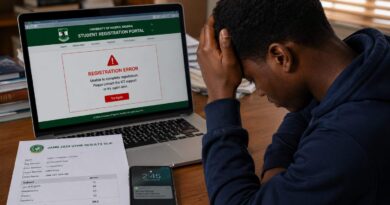
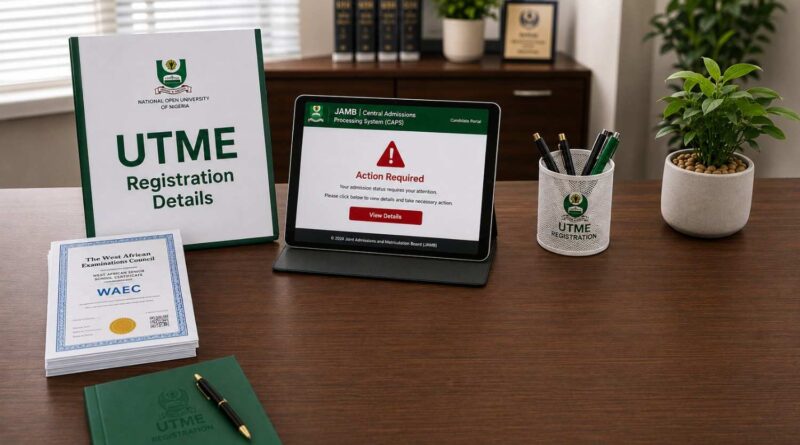
If JAMB CAPS is not showing your O’Level results, check the result upload, examination details, and your JAMB profile before assuming there is a system error. A missing WAEC, NECO, or NABTEB result can create problems during admission processing, particularly for candidates who previously registered with awaiting results.
Before contacting your institution about a missing O’Level result, check the information attached to your JAMB profile. Compare your examination number, examination year, examination type, subjects, and grades with the original result. You can also review our JAMB CAPS Portal Activation and Services guide for more information about using the admission platform.
Why Is JAMB CAPS Not Showing O’Level Results?
An O’Level result may fail to appear correctly for several reasons. The problem does not always mean that your result has been rejected. In some cases, the information may not have been uploaded correctly or may contain details that need to be corrected.
- Unsuccessful result upload: A technical problem during registration or an incomplete upload can prevent the result from appearing correctly on your JAMB profile.
- Incorrect examination details: An incorrect examination number, year, or examination type can cause problems when JAMB matches the result information to your profile.
- Incomplete subject or grade information: Missing or incorrect subjects and grades can leave the O’Level record incomplete.
- Awaiting Result: Candidates who registered with awaiting results must upload their released results through the appropriate JAMB process once the results become available.
- Processing or system delay: An update may not appear immediately after submission. Candidates should allow reasonable processing time before assuming that the upload failed.
Do not rely on screenshots from social media or messages from unofficial agents as proof that your result has been successfully uploaded. Check your JAMB profile and use JAMB’s official channels when you need clarification.
Check Your O’Level Details Before Re-uploading
Before requesting another upload, compare the information on your JAMB profile with the original WAEC, NECO, or NABTEB result. This simple check can help identify an incorrect examination number, year, examination type, subject, or grade.
- Examination number: Confirm that the number matches the number printed on your result.
- Examination year: Make sure the correct year appears on your JAMB record.
- Examination type: Check that the correct examination body and result type are selected.
- Subjects and grades: Compare the subjects and grades with your original result.
- Awaiting Result status: If you previously selected awaiting result, confirm that your released result has been uploaded through the appropriate JAMB procedure.
If you notice an error, do not pay an unofficial agent to “activate” or “force” the result onto CAPS. Use JAMB’s approved channels or visit an accredited CBT centre when the required service involves a centre.
You can also check the JAMB accredited CBT centre directory before visiting a centre for assistance.
How to Fix JAMB CAPS Not Showing O’Level Results
If your O’Level result is missing after you have checked your details, take the correction process step by step. Avoid submitting another update blindly when you have not first confirmed what is already on your profile.
- Check your JAMB profile: Confirm exactly what O’Level information is currently displayed before requesting another upload.
- Prepare the correct result details: Have your WAEC, NECO, or NABTEB information available so that the examination details can be checked against the original record.
- Use an accredited JAMB CBT centre when required: If your situation requires a centre-based JAMB service, use an accredited centre rather than an unofficial agent.
- Review the submitted information: Before leaving the centre, check the examination year, examination number, examination type, subjects, and grades that were submitted.
- Keep your evidence: Retain any official receipt, transaction record, or other evidence connected with the service.
- Check your profile again: Allow time for processing and then check whether the updated information appears on your JAMB profile.
- Monitor your admission process: Continue checking your JAMB admission status and your institution’s admission portal for further instructions.
JAMB provides official information about its admission system through its CAPS platform and guidance. When information from social media conflicts with an official JAMB instruction, rely on the official source.
What to Do If Your Result Still Does Not Appear
If you have completed the appropriate upload process and the result still does not appear, avoid repeatedly paying different people to perform the same service. First confirm whether the information was submitted correctly and whether enough time has passed for the update to reflect.
If the problem continues, return to the accredited CBT centre involved in the transaction or contact JAMB through its recognised support channels. Keep your registration information and any relevant payment or service evidence available when requesting assistance.
This is especially important during admission periods. A candidate who discovers a missing O’Level record close to an institution’s screening or admission deadline may have less time to resolve the problem. Checking your record early gives you more time to correct an issue before it affects your admission process.
Important JAMB Rule for Candidates With Awaiting Results
Candidates who registered with awaiting O’Level results should not leave the result update until the end of the admission process. Once the result becomes available, follow JAMB’s instructions for uploading it to the candidate’s profile.
JAMB’s published guidance states that institutions’ admission recommendations involving candidates with awaiting results cannot be considered where the required O’Level result has not been uploaded to the Board’s portal. Candidates should therefore treat the result upload as an important part of completing their admission records.
Do not confuse an institution’s admission portal with JAMB CAPS. A school may ask you to submit your O’Level information during its own screening process, but candidates should also ensure that the required information is correctly available on their JAMB profile.
Common Mistakes to Avoid When Updating O’Level Results
Several avoidable mistakes can make a missing-result problem more difficult to resolve. Check these points before submitting or correcting your information.
- Do not use an unofficial agent: Avoid anyone who promises to “force” a result onto CAPS or guarantee admission.
- Do not provide your password or OTP: Keep your JAMB login details, OTPs, and other security information private.
- Do not guess examination details: Use the information from your original examination record rather than estimating the year or examination number.
- Do not assume that a payment means the upload succeeded: Always verify the actual result information on your JAMB profile.
- Do not wait until an admission deadline: Resolve missing-result issues as early as possible.
JAMB CAPS Not Showing O’Level Results FAQs
Can I gain admission if JAMB CAPS is not showing my O’Level results?
It depends on your admission circumstances and the requirements applicable to your institution. However, candidates who registered with awaiting results must follow JAMB’s requirements for uploading their released results before their admission can be considered through the applicable process.
Can I upload my O’Level result myself?
Candidates with awaiting results should follow JAMB’s current instructions for uploading released results through the Board’s approved process. For registration-related services that require an accredited CBT centre, use an approved centre rather than an unofficial agent.
How long does it take for an uploaded result to appear on JAMB CAPS?
There is no single processing time that applies to every update. A successful submission may take time to reflect. If the information remains missing after a reasonable period, verify the submitted details and seek assistance through the appropriate JAMB channel.
Can I upload both WAEC and NECO results?
Where the applicable admission requirements permit two sittings, candidates may use the required combination of O’Level results. Make sure the information submitted matches the original examination records.
What should I do if my O’Level result is showing incorrectly?
Compare the information displayed on your JAMB profile with your original result. If you find an incorrect examination number, year, examination type, subject, or grade, use the appropriate JAMB correction or support process rather than relying on an unofficial agent.
What if my result was uploaded but is still not showing?
First confirm that the correct result information was submitted. Then allow time for processing and check your JAMB profile again. If the problem remains, return to the accredited CBT centre involved or contact JAMB through its recognised support channels.
Can an unofficial agent fix my missing O’Level result?
You should not rely on an unofficial agent who claims to have special access to JAMB CAPS. Avoid anyone requesting your password, OTP, banking PIN, or other sensitive information. Use JAMB’s approved procedures instead.
Conclusion
If JAMB CAPS is not showing your O’Level results, start by checking the examination details on your profile against your original result. Confirm the examination number, year, examination type, subjects, and grades before requesting another upload or correction.
Where you need a centre-based JAMB service, use an accredited CBT centre and verify the information submitted before leaving. Also keep your service evidence and check your profile again after processing. Most importantly, do not give your JAMB password, OTP, banking PIN, or other sensitive information to an unofficial agent.
For official information about JAMB’s admission system, use the Board’s recognised channels. For more admission guides, JAMB updates, screening information, and education news, visit the CampusPrime Homepage.
The CampusPrime Update
Join thousands of students getting the latest verified university news, Post-UTME forms, scholarship opportunities, and admission guides straight to their inbox.
✨ 100% Free. No spam, ever.