UNN Vice-Chancellor Fake Facebook Accounts: Disclaimer
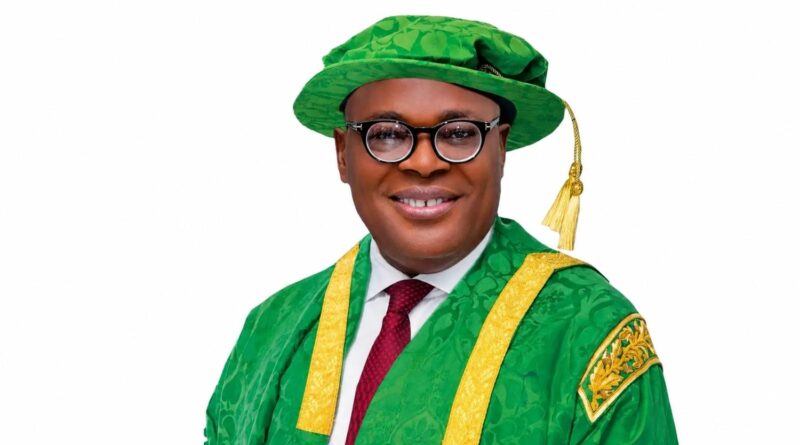
UNN Vice-Chancellor fake Facebook accounts have prompted a public warning from the University of Nigeria, Nsukka (UNN). The university has cautioned members of the public about Facebook profiles impersonating its Vice-Chancellor, Professor Simon Uchenna Ortuanya.
According to the university’s notice, the Vice-Chancellor does not operate a personal Facebook account. Members of the public are therefore advised to treat any Facebook profile claiming to represent him with caution and avoid responding to requests or messages from such accounts.
What UNN Said About the Fake Facebook Accounts
The university’s warning concerns Facebook profiles that use the name, photographs or other identifying details of Professor Simon Uchenna Ortuanya. According to the notice, these profiles are not authorised personal accounts belonging to the Vice-Chancellor.
This means that seeing the Vice-Chancellor’s name or photograph on a Facebook profile does not, by itself, prove that the account is genuine. Anyone who receives a message or friend request from such an account should verify the information through an official university source before taking any action.
You can also refer to CampusPrime’s List of Vice-Chancellors of UNN for background information about the university’s leadership.
Who Issued the UNN Public Disclaimer?
The warning was issued by the University of Nigeria, Nsukka. The notice was signed by the Acting Public Relations Officer, Inya Agha Egwu, on behalf of the university.
The purpose of the disclaimer is to make it clear that the Facebook profiles in question should not be treated as official communication channels for the Vice-Chancellor.
How to Protect Yourself From Fake UNN Profiles
If you come across a Facebook account claiming to belong to the UNN Vice-Chancellor, avoid interacting with it until you have confirmed that it is genuine.
- Do not accept a suspicious friend request simply because the account uses the Vice-Chancellor’s name or photograph.
- Do not send money, passwords, bank details or other sensitive information to an unverified account.
- Avoid clicking suspicious links sent through unsolicited Facebook messages.
- Check UNN’s official communication channels when you need to confirm an announcement.
- Report a suspected impersonation account using Facebook’s reporting tools.
Facebook provides guidance for reporting accounts that impersonate another person. You can find the relevant instructions in the Facebook Help Center.
What to Do If a Fake Account Contacts You
If a suspicious account sends you a message, do not respond with personal or financial information. Take a screenshot if necessary, report the profile through Facebook and block the account.
If you have already shared sensitive information or sent money, contact the relevant financial institution or service provider as soon as possible and follow the appropriate fraud-reporting procedure.
For university-related information, rely on official UNN communication channels rather than an unsolicited social media message.
UNN Vice-Chancellor Fake Facebook Accounts FAQs
Does the UNN Vice-Chancellor have a personal Facebook account?
According to the university’s public disclaimer, Professor Simon Uchenna Ortuanya does not operate a personal Facebook account. Any profile claiming to be his should therefore be treated with caution.
What should I do if I receive a Facebook request from the UNN Vice-Chancellor?
Do not accept the request until you have verified the account through an official UNN source. If the account is identified as an impersonation profile, report and block it.
Can a fake account use the Vice-Chancellor’s real photograph?
Yes. A person can use another individual’s photograph or name on a social media account. For that reason, a familiar photograph does not prove that a Facebook profile is authentic.
How can I report a fake UNN Vice-Chancellor Facebook account?
Open the suspicious Facebook profile, use Facebook’s reporting option and select the appropriate impersonation or fake-account category. You can also follow the instructions in the Facebook Help Center.
What if the account asks me for money?
Do not send money or provide your financial details to an unverified social media account. Treat unexpected requests for payment as a warning sign and verify the person’s identity through an official channel first.
Who signed the UNN disclaimer?
The disclaimer was signed by Inya Agha Egwu, the Acting Public Relations Officer of the University of Nigeria, Nsukka.
Final Thoughts
The warning about UNN Vice-Chancellor fake Facebook accounts is a reminder to verify university-related information before responding to social media profiles or messages.
If you receive a Facebook request or message claiming to be from Professor Simon Uchenna Ortuanya, don’t rely on the name or photograph alone. Check the information through an official UNN source, avoid sharing sensitive details and report any account that appears to be impersonating the Vice-Chancellor.
For verified university news, admission updates and other education-related information, visit the CampusPrime Homepage.
The CampusPrime Update
Join thousands of students getting the latest verified university news, Post-UTME forms, scholarship opportunities, and admission guides straight to their inbox.
✨ 100% Free. No spam, ever.