
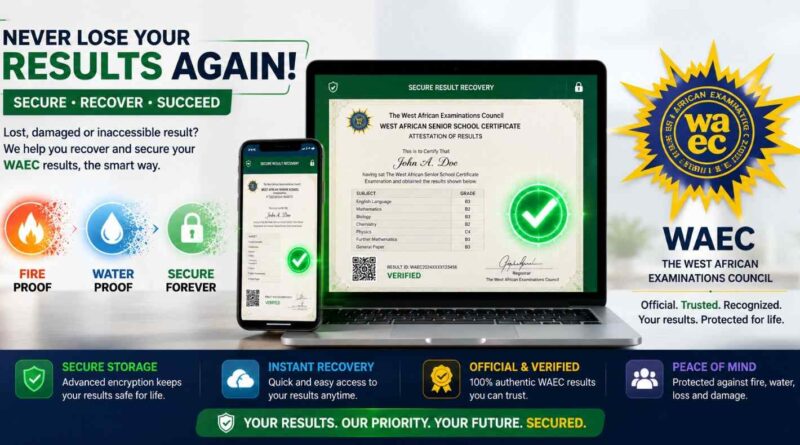
How to Recover Lost WAEC Certificate Online: Step-by-Step Guide
How to Recover a Lost WAEC Certificate Online (Step-by-Step Guide)
If you’re wondering how to recover a lost WAEC certificate, you’re not alone. Every year, many candidates lose or damage their original certificates due to theft, fire, flooding or simple misplacement. Fortunately, eligible candidates can now use WAEC’s Digital Certificate service to access an official electronic copy of their certificate.
In this guide, you’ll learn how to recover a lost WAEC certificate, the information you’ll need before you begin, common mistakes to avoid, and practical tips for keeping your certificate safe after recovery.
If you’re also preparing for university admission, you may find our JAMB, WAEC, NECO and Post-UTME Admissions Guide useful.
How to Recover a Lost WAEC Certificate Online
WAEC’s Digital Certificate platform allows eligible candidates to access an official electronic version of their WAEC certificate. The platform is designed to help candidates retrieve and share their certificates when the original copy is unavailable.
Before you begin the recovery process, make sure your examination number, examination year and other personal details are accurate. Incorrect information may prevent the system from locating your certificate.
Information Needed to Recover a Lost WAEC Certificate
Having the correct information ready before you start will make the recovery process faster and reduce the chances of errors.
- Your WAEC examination number.
- Your examination year.
- Your examination type (School Candidate or Private Candidate).
- Your full name as used during registration.
- A valid email address.
- An active mobile phone number.
Take a moment to confirm these details before proceeding. Entering incorrect information may delay the recovery process.
Step-by-Step Guide on How to Recover a Lost WAEC Certificate
Step 1: Visit the WAEC Digital Certificate Platform
Open your web browser and visit the official WAEC Digital Certificate platform. Always ensure you’re using WAEC’s official website to protect your personal information and avoid fraudulent websites.
Before entering your personal information, confirm that you are using WAEC’s official website or Digital Certificate service. You can also visit the official WAEC website to verify the latest information about WAEC services and certificate-related requirements.
Step 2: Create Your Candidate Account
If you’re using the platform for the first time, register with your email address and phone number, then create a secure password. Follow any verification instructions sent to your email before signing in.
Step 3: Enter Your WAEC Examination Details
After signing in, select the option to recover or access your certificate and provide your:
- WAEC examination number.
- Examination year.
- Examination type.
Enter your details exactly as they appeared during your WAEC registration.
Step 4: Verify Your Information
Carefully review the information displayed on your screen. Confirm that your name, examination year and other details are correct before continuing.
If you notice any error, resolve it before making any payment.
Step 5: Complete the Required Payment
If a service fee applies, complete the payment using one of the available payment options. Keep your payment confirmation until you’ve successfully accessed your certificate.
Step 6: Download Your WAEC Digital Certificate
Once your payment has been confirmed, download your digital certificate and save copies in more than one secure location, such as your phone, computer and cloud storage account.
Common Mistakes When Recovering a Lost WAEC Certificate
- Entering the wrong examination number.
- Selecting the wrong examination year.
- Using incorrect personal information.
- Ignoring errors displayed before payment.
- Saving the certificate in only one location.
Taking a few extra minutes to confirm your information can help you avoid unnecessary delays.
Benefits of Recovering a Lost WAEC Certificate Online
- Access your certificate without relying only on the original paper copy.
- Share your certificate electronically where accepted.
- Retrieve your certificate from anywhere with internet access.
- Keep a secure backup for future academic and job applications.
- Reduce the inconvenience of replacing a misplaced certificate.
Frequently Asked Questions About Recovering a Lost WAEC Certificate
Can I recover my WAEC certificate if I lost the original copy?
Yes. Eligible candidates can access a digital version of their WAEC certificate through the official WAEC Digital Certificate platform. Before you begin, ensure you have your correct examination details available.
Is the WAEC digital certificate accepted for admissions and employment?
Many institutions and employers accept WAEC’s Digital Certificate because it can be verified through WAEC’s official verification system. However, requirements may differ between organisations, so always confirm the document format they require before submitting your application.
What information do I need to recover my certificate?
You will typically need your WAEC examination number, examination year, examination type, and the personal details you used during registration. Having accurate information helps prevent delays during the verification process.
What should I do if I cannot remember my examination number?
If you no longer have your examination number, check any previous WAEC result printout, registration slip, admission documents or school records where it may have been recorded. If you are still unable to locate it, contact WAEC through its official support channels for guidance.
What should I do if the information displayed is incorrect?
Do not continue with the process if you notice incorrect personal details or examination information. Contact WAEC through the appropriate support channel and resolve the issue before making any payment.
Can I use my phone to recover my WAEC certificate?
Yes. The process can be completed on most smartphones with a stable internet connection. Ensure your device can download and safely store PDF documents before starting.
Tips for Keeping Your WAEC Certificate Safe
After recovering your certificate, take a few simple steps to avoid future problems:
- Save a copy on your phone.
- Keep another copy on your computer.
- Back up the file using a trusted cloud storage service.
- Email a copy to yourself for easy retrieval.
- Do not share your account password or login details with anyone.
Having multiple secure backups can save you time if you need your certificate again for admission, employment or professional applications.
Need More WAEC and Admission Guides?
If you’re preparing for university admission or managing examination-related processes, these CampusPrime guides may also help:
- How to Check WAEC Results
- How to Get WAEC Serial Number and PIN
- WAEC Results Release Date Guide
- JAMB, WAEC, NECO and Post-UTME Admissions Guide
Conclusion
Losing your original WAEC certificate can be frustrating, but it does not necessarily mean you have lost access to your academic record. If you are eligible for WAEC’s Digital Certificate service, you can retrieve an official electronic copy by providing your correct examination details and following the required verification process.
Before making any payment, carefully confirm that your examination number, examination year and personal information are correct. After successfully retrieving your certificate, store copies in multiple secure locations to reduce the risk of future loss.
For more trusted guides on WAEC, JAMB, NECO, university admissions and student updates, visit the CampusPrime homepage.
Editorial Note: WAEC may update its procedures, fees or digital services from time to time. Always confirm the latest requirements through WAEC’s official communication channels before beginning any certificate recovery process.
The CampusPrime Update
Join thousands of students getting the latest verified university news, Post-UTME forms, scholarship opportunities, and admission guides straight to their inbox.
✨ 100% Free. No spam, ever.